

In this article, I want to share with you how I create a function that navigates users to a specific section after submitting
For this tutorial, we will use a comment case for example
Example:
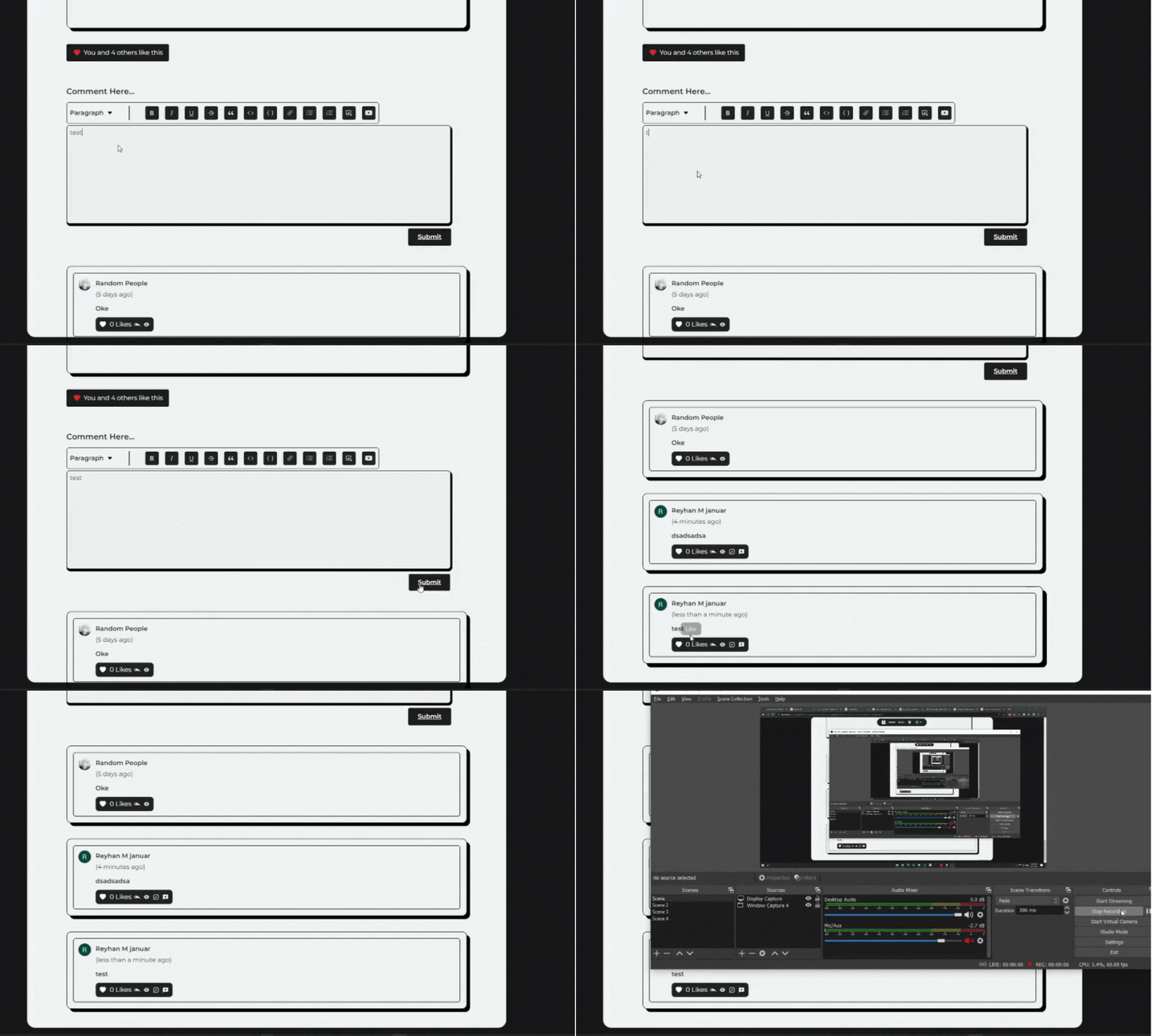
Step 1: Create a reference
First, we need to set up a reference to the container that holds the comments section. We will use the useRef hook from React to create a reference to a div element.
More about useRef here
import { useRef } from 'react';

const ExampleComponent = () => {
  const commentsContainerRef = useRef<HTMLDivElement>(null);


  return (
    <div>
      {/* Your component's content goes here */}
    </div>
  );
}
Step 2: Add the ScrollIntoView Function
Next, we need to add a function that automatically scrolls to the comments section when the user submits a form.
this function is an example of my case you can use your function.
const handleSubmit = async (content: string) => {
  // your code
  if (commentsContainerRef.current) {
    commentsContainerRef.current.scrollIntoView({
      behavior: 'smooth',
      block: 'end',
    });
  };
};
The scrollIntoView function is called on the commentsContainerRef, which will automatically scroll the page to the comments section when the user submits a form.
Step 3: Set up the Comments Container
We need to set up the comments container in the JSX. We will use the ref attribute to bind the commentsContainerRef to the div that holds the comments.
import { useRef } from 'react';

const ExampleComponent = () => {
  const commentsContainerRef = useRef<HTMLDivElement>(null);

const handleSubmit = async (content: string) => {
  // your code
  if (commentsContainerRef.current) {
    commentsContainerRef.current.scrollIntoView({
      behavior: 'smooth',
      block: 'end',
    });
  };
};

  return (
    <div ref={commentsContainerRef}>
      {/* Your component's content goes here */}
    </div>
  );
}